Computers
 Wireless/Data
 TV/Monitor
 Projection
 Video
Video Audio
Audio Cameras
 AV Presentation
 PRINTERS/COPIERS
 TECH ACCESSORIES
 BRANDS WE CARRY

Planning a multi-day conference in Boston involves far more than securing a venue and finalizing an agenda. Modern conferences typically include keynote presentations, breakout sessions, hands-on training workshops, panel discussions, and networking events, all of which rely heavily on technology operating smoothly across several days. Coordinating multiple rooms, presenters, schedules, and digital content creates logistical complexity, making dependable audiovisual and computer equipment a critical component of overall event success.
From delivering clear presentations and supporting live demonstrations to enabling collaborative training environments and digital signage, the right equipment ensures consistent communication and professional execution throughout the conference. Equipment failures, compatibility issues, or insufficient technology can quickly disrupt sessions and negatively impact attendee experience, particularly during extended events where reliability must be maintained day after day.
This guide explores the essential audiovisual and computer rental equipment businesses commonly needed when hosting a multi-day conference in Boston. By understanding which tools support presentations, training sessions, attendee engagement, and operational efficiency, event planners can better prepare for a seamless, well-supported conference experience.
OneStop Computer & Audio Visual Rentals provides a comprehensive selection of high-quality laptops, desktops, projectors, monitors, and audio equipment to meet the demands of your event. Whether you need MacBook Pros for training sessions, 4K monitors for breakout rooms, or professional AV solutions for keynote presentations, we have you covered.
Simplify your event planning and avoid last-minute technical issues by securing your rentals with OneStop AV. We offer nationwide delivery, flexible rental periods, and a broad range of equipment to fit your event’s specific requirements. Contact OneStop Computer & Audio Visual Rentals today at 1-800-782-1706 or request a quote online to ensure your Boston conference runs smoothly and professionally from start to finish.
👉Also Read: 8 Ways LED TV and Monitor Rentals Transform Boston Trade Show Booths
Laptop and Computer Rentals for Events, Presentations, Training, and Conference Management
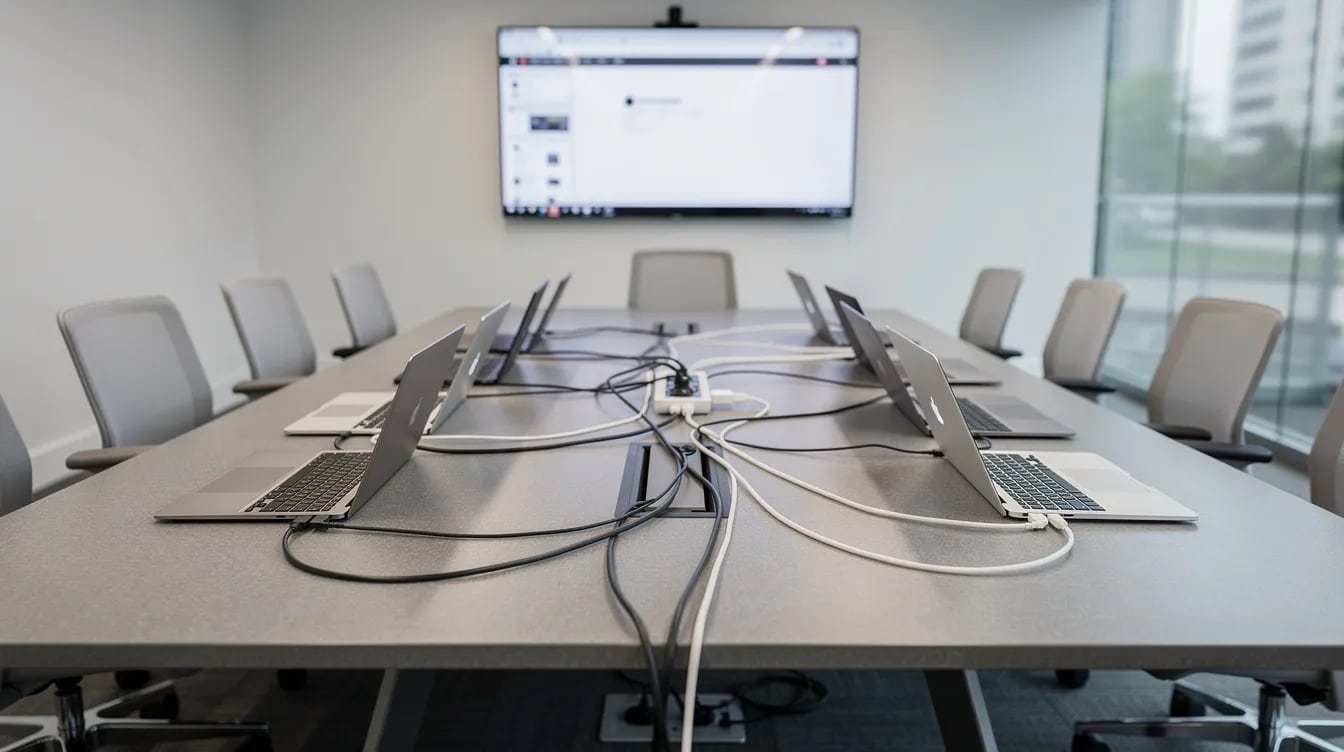
Laptops are among the most critical technology components at any multi-day conference, supporting keynote presentations, breakout sessions, registration, and event coordination across multiple rooms simultaneously. Business-class laptops, equipped with solid-state drives, updated operating systems, and stable wireless connectivity, provide the reliability and compatibility needed for consistent performance throughout the event. Most connect seamlessly to projectors, monitors, and digital displays via HDMI or USB-C, keeping setup straightforward for both presenters and AV staff.
Conferences that include hands-on workshops, software training, or live technical demonstrations require more than a standard presentation laptop. Sessions involving development environments, CAD applications, data analysis platforms, or graphics-intensive software need systems with faster multi-core processors, higher memory, and dedicated graphics capabilities. Planners running multi-room training labs typically standardize on identical configurations across all attendee units, simplifying setup, reducing troubleshooting time, and ensuring a consistent experience for instructors and participants alike.
MacBook Pro rentals remain a popular choice for Apple-based workflows, Keynote presentations, and media production sessions where platform compatibility directly affects content delivery. For backstage production, AV control, or broadcast-grade playback, desktop workstations such as the Mac Studio or Mac Mini provide the processing power these roles demand without the overhead of a full laptop setup.
Because multi-day events allow little room for technical delays, experienced planners build backup units into their rental order. Equipment is typically delivered several days before the conference and retrieved after teardown, allowing adequate time for imaging, testing, and post-event breakdown.
👉Also Read: Should You Rent Mac or PC Laptops for Your Boston Conference?
Recommended Laptop & Computer Rentals at OneStop AV for Multi-Day Conferences in Boston
| Product | Category | Best Conference Use Case |
| Lenovo ThinkPad E15 | Business Laptop | Registration desks, speaker support stations, general session management |
| Lenovo ThinkPad E16 G3 | Business Laptop | Larger-screen, more powerful option for event staff managing spreadsheets, schedules, and logistics |
| Lenovo ThinkPad E590 | Business Laptop | Backup units, registration overflow, workshop participant stations |
| Razer Blade 15 | High-Performance Laptop | Software demonstrations, technical presentations, resource/video-intensive applications |
| Apple Retina MacBook Pro (6-Core) | Apple Laptop | Keynote presentations, macOS-dependent workflows, media-rich sessions |
| Apple M2 Pro MacBook Pro (12-Core CPU) | High-Performance Apple Laptop | Advanced software demos, video playback, multi-application presenter setups |
| Mac Mini M4 (10-Core CPU/GPU, 16GB) | Desktop Workstation | Backstage production stations, speaker green room setups, AV control points |
| Mac Studio M3 Ultra (28-Core CPU, 60-Core GPU, 96GB) | High-Performance Desktop | Broadcast-grade video production, live event rendering, large-format media playback |
| Apple 24″ iMac M4 (10-Core CPU) | Desktop Workstation | Registration hubs, information kiosks, event management command stations |
| Intel NUC 12 Pro | Compact Desktop | Digital signage control, discreet AV rack integration, dedicated display management |
Tablets and iPads for Registration and Event Check-In
Tablets play an important role in simplifying registration and attendee management during multi-day conferences. Instead of relying on paper lists or stationary workstations, event teams can use mobile devices to manage check-in efficiently, reduce wait times, and maintain accurate attendance records throughout the event. For conferences with large attendee volumes or multiple daily sessions, tablets help create a faster and more organized arrival experience.
iPads are commonly used for event registration and mobile conference management because of their portability, intuitive interface, and strong compatibility with widely used event management and check-in applications. Their lightweight design allows staff to move easily between registration areas, entrances, and session rooms while maintaining access to real-time attendee information.
Common uses for tablet and iPad rentals at conferences include:
- Digital attendee check-in and verification
- QR code or barcode scanning for session access
- Self-service registration stations
- Sponsor lead capture and exhibitor engagement
- Surveys, feedback collection, and interactive event apps
Event planners typically deploy one tablet per registration station, along with additional roaming devices to assist attendees during peak arrival periods or between sessions. Because multi-day conferences require devices to remain operational from morning check-in through evening programming, organizers should also plan for secure overnight charging and device storage to ensure tablets are fully prepared for each day’s schedule.
👉Also Read: Key Questions to Ask Before Renting a Sound System for Your Boston Event
Recommended Tablet and iPad Rentals at OneStop AV for Multi-Day Conferences in Boston
| Product | Category | Best Conference Use Case |
| iPad 6th Gen, 9.7″ | Tablet | Roaming staff check-in, session access scanning, attendee assistance |
| iPad 9th Gen, 10.2″ | Tablet | Registration desks, self-service check-in, event app navigation |
Large Display Screens for Presentations and Digital Signage
Conferences and corporate events often require multiple display screens strategically placed throughout the venue to ensure attendees have clear visibility of presentations, schedules, and announcements. These displays are essential for general sessions, breakout rooms, sponsor lounges, and high-traffic areas such as registration halls and foyers.
Recommended Screen Sizes by Venue Area
| Room Type | Recommended Screen Size |
| Small breakouts | 32”–43” |
| Mid-size sessions | 55”–65” |
| Large sessions/hallways | 75”–85” |
For detailed presentations, data visualizations, or high-impact branding, 4K UHD displays are recommended to provide sharp images and readable text even from closer viewing distances. Displays are commonly mounted on dual-post floor stands with optional accessories such as shelves for laptops, black skirts for aesthetics, wheeled bases for mobility, and extended HDMI or power cables for flexible setup. This ensures that each screen is safe, stable, and optimally positioned to engage all attendees.
OneStop AV provides a variety of display sizes, including 32″, 43″, 55″, 65″, and 85″ to accommodate any conference layout. Professional delivery services help ensure your event is ready to run smoothly without technical interruptions, allowing you to focus on content and attendee engagement.
Digital Signage Displays for Event Communication
Digital signage is a powerful tool for keeping attendees informed during multi-day conferences and events. These displays can effectively share daily schedules, speaker announcements, event branding, and sponsor advertising, ensuring that important information reaches participants wherever they are on-site.
Common setups include USB slideshows or looping PowerPoint presentations, which allow organizers to rotate content throughout the day. Digital signage can be positioned in strategic locations such as registration areas, exhibit hall entrances, networking lounges, and other high-traffic spaces to maximize visibility.
By using professional display rentals ranging from 32″ to 85″, organizers can deliver crisp, clear visuals that enhance both attendee engagement and sponsor recognition. With OneStop AV, businesses can access high-quality displays for conferences, trade shows, and corporate events, along with the necessary stands, HDMI connections, and power setups to ensure seamless operation throughout the event.
👉Also Read: Managing Multi-Week Laptop Rentals in Boston: What Event Production Companies Should Know
Monitor Rentals for Training Rooms and Breakout Sessions
Breakout sessions and workshops often require individual workstations for attendees. Monitor rentals allow participants to view detailed software demonstrations, presentations, or other training materials on larger screens, enhancing engagement and comprehension.
Popular options include 24-inch and 27-inch monitors, which can be paired with laptops or desktops to create fully functional workstations. Using identical monitors across all seats ensures consistency, making it easier for instructors to guide participants and maintain a uniform learning experience. For medium-sized sessions, planning for additional monitors as backups helps avoid disruptions due to hardware issues or last-minute attendee changes.
Networking Equipment for Reliable Connectivity
Stable internet connectivity supports presenters, software demos, registration systems, and attendee access throughout multi-day conferences.
Typical networking rentals:
- Business-grade Wi-Fi hotspots
- Ethernet switches for wired pods
- Long Ethernet runs to AV tables or streaming locations
Wired connections are strongly recommended for live performances, remote keynote speakers, or critical demonstrations. Coordinate with the venue’s IT team and confirm union rules before bringing third-party networking gear onto the show floor.
Display Stands and Accessories for a Professional Setup
Stands, mounts, and other tech accessories make rented displays visible, safe, and professional-looking.
Essential accessories:
- Rolling floor stands for 55”–85” screens
- Shelves for laptops or media players
- Long HDMI cables and signal extenders
- Power strips, extension cords, cable covers
- Spare adapters (USB-C to HDMI, Mini DisplayPort)
Wheeled bases allow screens to move overnight between rooms at Boston hotels, where different tracks run each day. Build an inventory checklist to ensure stands, cables, and power are counted and returned correctly.
Planning Computer and AV Equipment Rentals for a Multi-Day Boston Conference
Two to four-day conferences typically require renting equipment for extra days to cover rehearsals and teardown.
Planning timeline:
- 8–12 weeks out: Define AV needs by room type
- 3–4 weeks out: Finalize equipment list and quantities
- 5–7 days before: Confirm delivery with venue dock schedules
Map equipment to specific rooms and dates so rental quantities match each day’s schedule. Partner with a single rental provider that can supply laptops, tablets, displays, networking, and accessories in one coordinated delivery.
👉Also Read: Why LED Monitors and Projectors Are a Smart Choice for Trade Shows and Exhibitions in Boston
Ready to Elevate Your Boston Conference? Call OneStop Computer & Audio Visual Rentals
Ensure every presentation, workshop, and session runs seamlessly with reliable audiovisual and computer equipment. At OneStop AV, we provide high-quality laptop rentals, tablets, projectors, display screens, and sound systems tailored to multi-day conferences. Serving Boston and the Northeast, including Providence, RI, New York, NY, Philadelphia, PA, and Washington, DC, our selection of top-brand devices and tech accessories makes it easy to outfit every room, support hands-on training, and keep your attendees engaged.
Don’t leave your event to chance. Contact OneStop AV today at 1-800-782-1706 or request a quote online to secure the equipment your conference deserves. Your seamless, professional event starts here.
Frequently Asked Questions
How many days should I rent AV equipment for a 3-day corporate conference in Boston?
Most organizers rent for 4–5 days: one day for setup and testing, three conference days, and optional time for teardown.
Can I rely on venue-provided AV instead of renting my own equipment?
Boston hotels and convention centers offer in-house AV, but external rentals are often more cost-effective and flexible for multi-day use. Compare quotes that include labor and service charges versus flat multi-day rental pricing. Many event production companies and organizers blend both approaches, using in-house infrastructure while renting laptops, training labs, and extra displays externally.
What backups should I plan for multi-day AV reliability?
Keep at least one backup laptop for main sessions, spare HDMI cables, extra power strips, and one spare display. Store presentations in the cloud and on USB drives for quick loading onto replacement machines. Schedule nightly equipment checks to catch issues before the next morning’s sessions.
When should I reserve audio visual rentals for a Boston conference during peak season?
Spring and fall are peak conference seasons in Boston. Place larger orders 8–12 weeks in advance. High-demand items like 4K 75”+ displays and large laptop fleets can sell out during major conventions and university events. Confirm final quantities 3–4 weeks out with a small buffer for additions.
Can I change my laptop rental order if attendee numbers increase close to the corporate event?
At OneStop AV, we can add units within a few days if inventory is available. Build a modest buffer into your original order, 5–10% extra laptops or monitors, to handle last-minute growth.