Computers
 Wireless/Data
 TV/Monitor
 Projection
 Video
Video Audio
Audio Cameras
 AV Presentation
 PRINTERS/COPIERS
 TECH ACCESSORIES
 BRANDS WE CARRY
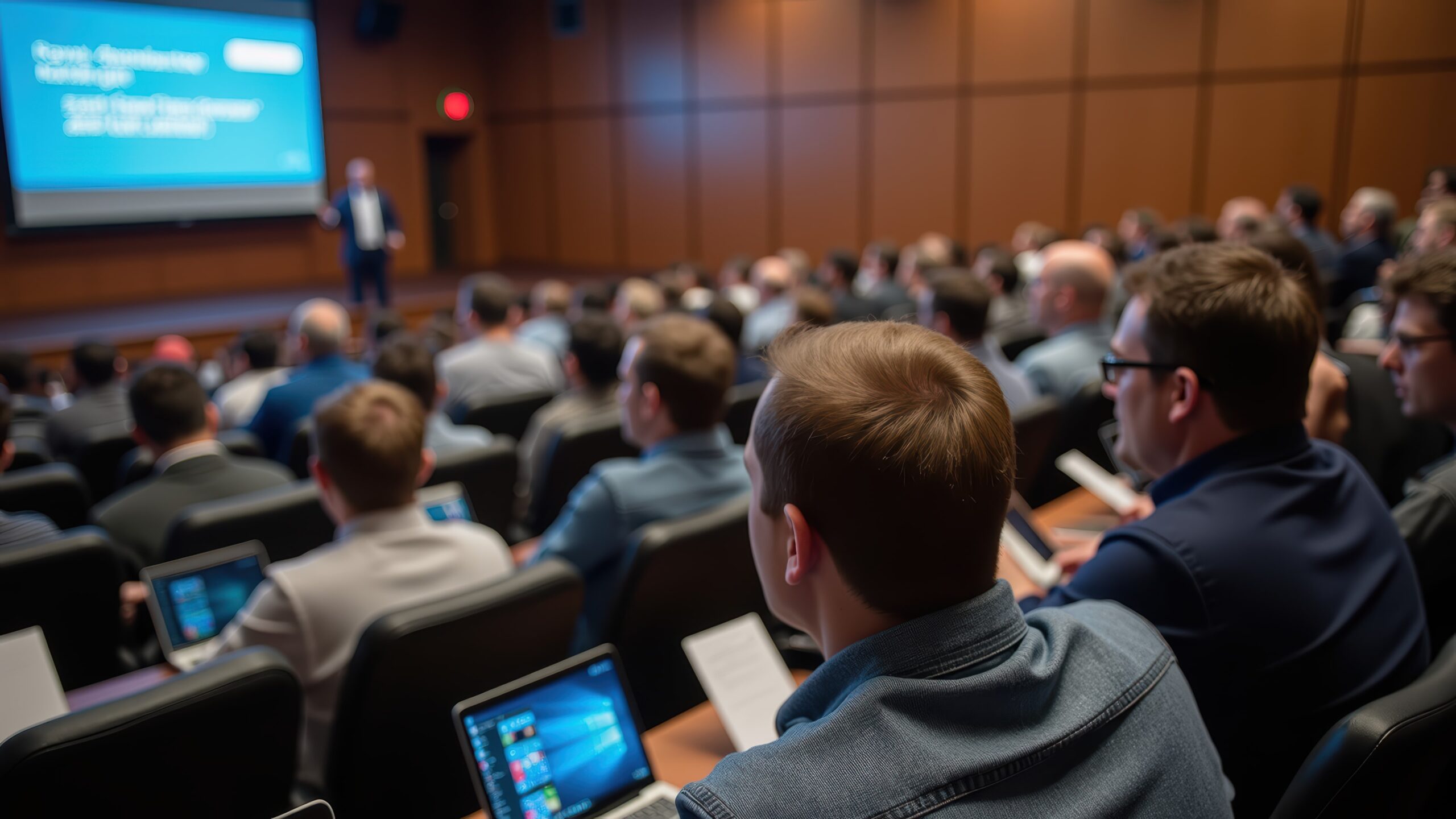
Boston is a high-pressure market for event production, driven by a constant flow of corporate conferences, academic programs, medical symposia, and technology-focused events. Major venues such as the Thomas Menino Convention and Exhibition Center, Hynes Convention Center, Omni Boston at the Seaport, and leading university campuses routinely host programs that extend well beyond a single show day. Many events run for multiple weeks, with phases that include rehearsals, training sessions, live presentations, and hybrid or virtual components.
For these extended schedules, short-term laptop rentals are rarely practical. Multi-week conferences, enterprise training programs, and large-scale hybrid productions require reliable laptops that remain deployed and fully functional for ten days or longer. Performance consistency, standardized configurations, and responsive technical support are essential throughout the entire rental period, particularly as agendas shift or technical demands increase mid-event. As a result, multi-week laptop rentals have become the norm for event production companies operating in Boston.
Managing long-term laptop rentals in Boston requires careful coordination. Venue access restrictions, tight load-in timelines, union rules, and limited on-site storage all add complexity. Production teams must also plan for software imaging, security requirements, redundancy, and ongoing support to avoid downtime during critical sessions.
OneStop Computer & Audio Visual Rentals is a Boston-based, B2B provider supporting event production companies throughout the Northeast with professional laptop rentals, AV equipment, and technical support. Contact our team at 1-800-782-1706 to plan and manage your multi-week laptop rental in Boston, including device configuration, logistics coordination, and remote technical assistance throughout your event.
This article outlines what production teams should know when managing multi-week laptop rentals in Boston, covering planning, logistics, budgeting, and best practices specific to this demanding market.
👉Also Read: Why LED Monitors and Projectors Are a Smart Choice for Trade Shows and Exhibitions in Boston
Why Multi-Week Laptop Rentals Matter for Boston Events
Event timelines in Boston rarely follow the simple “load in, show, load out” pattern seen in smaller markets. A typical production at the Boston Convention and Exhibition Center may include three to five days of move-in, two to three days of rehearsals, five to ten show days, and another two to three days for strike. Add pre-conference meetings and post-event debriefs, and you are looking at 10 to 21 days during which technology must perform flawlessly.
The venues hosting these events also present unique demands. Multi-week conventions at the Boston Convention and Exhibition Center can accommodate up to 5,000 delegates for tech expos, biotech conferences, and medical symposia. Multi-track conferences at the Hynes Convention Center require dozens of laptops across breakout rooms, speaker-ready areas, and registration desks. Academic gatherings at MIT and Harvard often span weeks of workshops, panels, and networking sessions.
Corporate meetings, product launches, and pharmaceutical roadshows add further complexity. These events frequently extend across multiple weeks, with pre-conference planning, content reviews, stakeholder presentations, and follow-up sessions.
Common Use Cases for Multi-Week Laptop Rentals
Multi-Phase Conferences and Conventions
Large-scale conventions and multi-track conferences often span several weeks, requiring laptops for registration desks, speaker-ready areas, breakout sessions, and exhibitor booths. Multi-week rentals ensure consistent hardware and software configurations throughout rehearsals, main sessions, and post-event debriefs.
Corporate Training Programs
Enterprise-level training sessions—such as software rollouts, compliance certifications, or onboarding programs—frequently last multiple weeks. Companies rely on laptops for hands-on exercises, simulations, and remote learning components, making reliable multi-week rentals essential.
Hybrid or Virtual Events
Hybrid events that combine in-person and virtual audiences demand laptops for live streaming, production management, content delivery, and coordination with remote teams. Multi-week rentals allow IT teams to pre-configure systems for seamless operation over extended periods.
Product Launches and Roadshows
Companies staging multi-city or multi-week product launches often rotate laptops between presentation areas, demo stations, and conference rooms. Renting devices for the full duration avoids the downtime and setup risks associated with short-term rentals or repeated equipment swaps.
Academic Symposia and Research Workshops
Universities and research institutions hosting extended workshops, collaborative labs, or multi-week academic conferences require laptops for participant use, data collection, and presentation setups. Multi-week rentals provide standardized equipment across multiple phases of the program.
Film, Media, and AV Production
Production teams working on multi-day or multi-week shoots rely on laptops for video editing, rendering, audio mixing, and on-set playback. Long-term rentals ensure consistent performance and reduce the risk of hardware failures during critical production windows.
Trade Shows and Exhibitions
Exhibitors at Boston’s large trade shows—spanning biotech, technology, and healthcare industries—need laptops for demos, interactive displays, and attendee tracking over several days. Multi-week rentals guarantee a consistent setup and reduce logistical complexity.
Conferences with Specialized Software Needs
Events requiring high-performance laptops with specific software—like CAD, 3D modeling, simulation, or financial analytics—benefit from multi-week rentals. IT teams can pre-load applications, manage licenses centrally, and maintain performance throughout the event.
Benefits of Multi-Week Laptop and Computer Rentals Over Purchasing
For project-based production companies, purchasing 30 to 100 laptops that sit idle between events often makes little financial sense. Multi-week rentals convert this capital burden into a predictable operational expense tied directly to specific events.
Cost Efficiency
Multi-week rental rates, structured with flexible daily, weekly, or monthly pricing, can reduce per-unit costs by up to 50% compared to purchasing. Companies also avoid 30–40% annual depreciation on owned hardware and eliminate the cash flow impact of large upfront investments.
Access to the Latest Technology
Renting allows production teams to deploy current-generation laptops—Intel i7/i9 processors, Apple M-series chips, and high-refresh displays—optimized for video playback, live production, and show control. When new models are released, you can simply rent the updated hardware without worrying about obsolescence.
Scalable Flexibility
Multi-week rentals make it easy to add laptops mid-event as registration grows, breakout rooms expand, or client requirements change. This level of adaptability is difficult to achieve with owned inventory.
Reduced Operational Burden
Rental laptops arrive pre-configured and ready to use, eliminating the need for storage, lifecycle management, and ongoing maintenance. Once the event concludes, the equipment is returned, allowing your team to focus on executing live events rather than managing IT assets.
Choosing the Right Laptop Configurations for Event Production
Selecting the right laptop specifications is critical to ensure smooth operation and avoid mid-show failures. Configurations should match the demands of each application, from presentations to media playback and content creation.
Presentation and Show Control
For presentation and show control tasks, standard configurations typically include:
- 14–15.6” displays for comfortable viewing
- Intel Core i5/i7 or Apple M2/M3 processors
- Minimum 16 GB RAM
- 512 GB SSD storage
- Reliable HDMI and USB-C outputs for projection
Lenovo and Razer Blade laptops reliably meet these requirements, while MacBook Pro models are preferred for teams using macOS workflows.
Media Playback and Encoding
Video playback, streaming, and media encoding require higher-end specifications:
- Dedicated NVIDIA GPUs or Apple M-series with ProRes support
- 32GB RAM for smooth 4K playback
- Fast NVMe SSDs for large media files
- Multiple display outputs for confidence monitors
These configurations are ideal for playback machines running PlaybackPro or Mitti, encoding laptops for live streaming, and content management stations handling large asset libraries.
Graphic Design and Content Management
For teams working with Adobe Creative Cloud (Premiere Pro, After Effects, Photoshop) or other graphics-intensive applications, laptops should include dedicated graphics, ample memory, and high-resolution displays—a Retina display on Apple devices or equivalent on Windows machines.
Standardization Across Units
Standardizing models and specifications across all units simplifies show documentation, allows hot swaps without reconfiguration, and streamlines technical support. Identical laptops enable technicians to replace devices quickly, minimizing downtime.
Operating System Considerations
The choice between Windows 11 Pro and macOS depends on your software stack. Applications like PlaybackPro and Mitti often require macOS, while registration platforms, show control systems, and web-based applications may perform best on Windows. Always verify software compatibility with your rental partner before finalizing configurations.
Software, Imaging, and Pre-Event Configuration
Multi-week laptop stability begins with consistent, tested builds before the first units arrive on site. Investing time in pre-event configuration prevents issues during the event.
Custom Imaging
Custom imaging ensures every laptop behaves identically. OneStop AV team preloads the operating system, show control software, codecs, utilities, and event-specific applications so production teams encounter no surprises. This includes:
- OS configuration and updates
- Show control software (PlaybackPro, Mitti, PowerPoint)
- Communication platforms (Teams, Zoom)
- Event-specific applications or custom software
Software Licensing Management
Extended rentals require careful management of licenses. Subscription durations must cover the full event plus buffer days. Offline activation may be needed at venues with limited internet access. Confirm licenses will not expire mid-event and address all software requirements when ordering.
Pre-Show Testing
A 48–72 hour pre-show bench test allows laptops to run event content in advance, identifying potential issues before load-in or rehearsals, when troubleshooting time is limited.
👉Also Read: Top Laptop Rentals for Event Planners in Boston: Best Models for 2025
Logistics and Support for Multi-Week Rentals in Boston
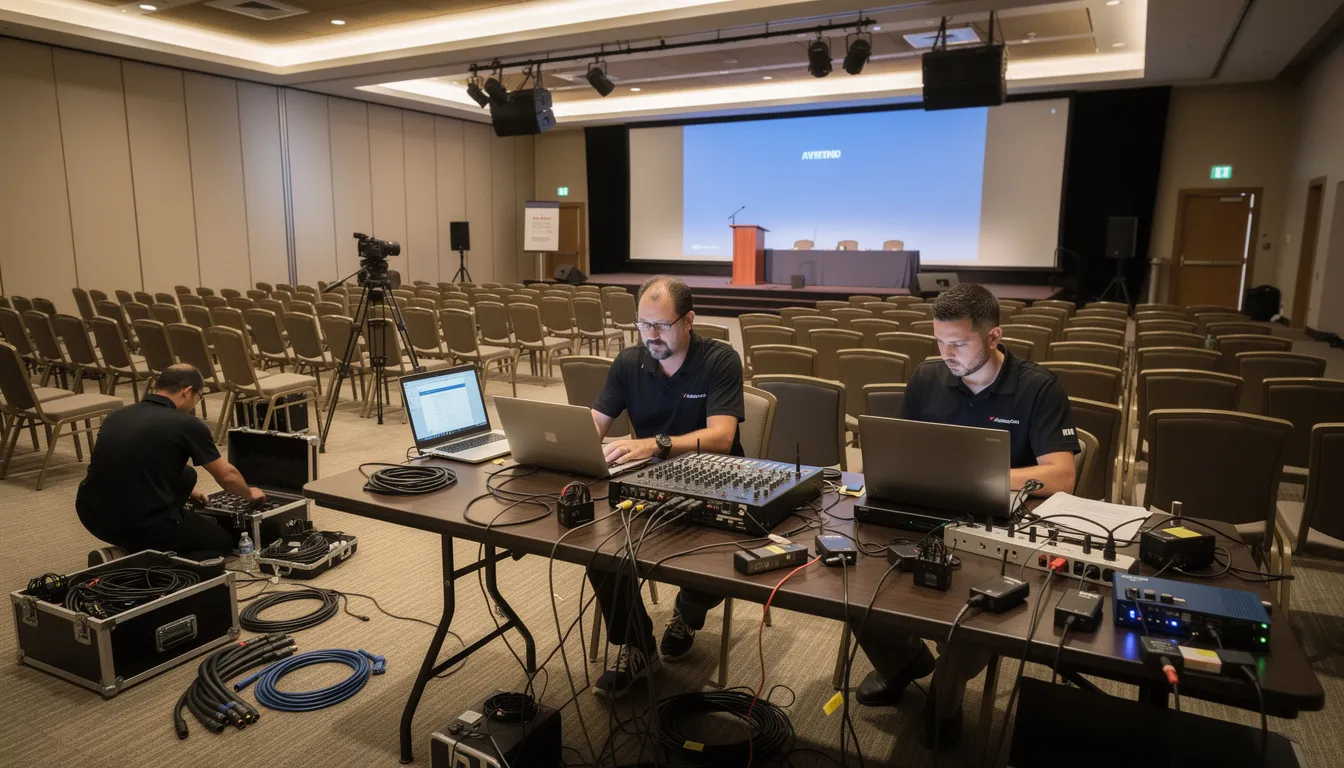
Boston’s unique logistics environment—dense traffic, restrictive loading dock schedules, and venue-specific protocols—requires rental partners who understand local constraints. National vendors often underestimate these challenges, leading to delayed setups and missed opportunities.
Delivery Timing & Flexibility
Downtown Boston traffic can add 20-30 minutes to standard delivery estimates. Major venues operate tight loading dock windows that book up quickly, making timing critical. Local providers with nearby warehouses can pivot fast: if your schedule shifts unexpectedly, same-day or next-day delivery becomes possible instead of the typical 2-5 day wait from distant shippers.
The real advantage? Partnering with someone who knows the city’s traffic patterns, dock procedures, and peak congestion hours means your equipment arrives exactly when you need it—not when a national schedule allows.
Built-In Redundancy for Show-Critical Hours
Multi-week events can’t afford downtime. Smart rental strategies include keeping backup equipment staged nearby—either onsite or at a local warehouse—for rapid equipment swaps during your most critical sessions. When a laptop fails mid-presentation or an AV component stops working, a local support team can dispatch replacements within hours, not days.
Seamless Scope Changes
Events rarely go exactly as planned. If you need to extend the rental period, add training dates, or expand to additional Boston-area locations, your rental agreement should adapt without friction or penalties. Flexible local providers build these adjustments into their standard service—keeping your event on track without surprise costs or administrative headaches.
True 24/7 Support When It Matters
Time-sensitive events—keynote conferences, live broadcasts, product launches—can’t wait for business hours support. Look for rental providers offering round-the-clock phone support with genuine on-site dispatch capability. When critical equipment fails during your peak moments, rapid response protects you from costly downtime and keeps your event moving forward.
Common Challenges and How to Avoid Them
Multi-week rental failures rarely come from hardware defects. They stem from planning gaps—missed specs, last-minute surprises, and vendors who can’t respond when it matters. Understanding these pitfalls lets you sidestep them entirely.
Performance Miscalculations
Under-speccing machines for your actual workload creates problems that quietly surface during rehearsals, then explode during live sessions. The typical culprits: pairing entry-level laptops with 4K playback, stacking show control and streaming on a single underpowered machine, or ignoring thermal requirements for devices running continuously for 8+ hours.
Specification isn’t a budget exercise—it’s a risk mitigation tool. Each device should be configured for its specific role: what it actually needs to do, not what seemed cheap during procurement.
Hardware Inconsistency Compounds Troubleshooting
Renting a mishmash of models from different sources means every laptop has different ports, color profiles, and performance characteristics. When the breakout room laptops behave differently from the main stage rig, troubleshooting becomes a nightmare. Your tech team spends critical hours figuring out which device has which quirk instead of focusing on the event.
Standardized hardware from a single supplier isn’t pedantic—it’s operational discipline. Consistency reduces variables, speeds diagnosis, and keeps your team focused on the event, not the equipment.
Reduce Risk Through Disciplined Preparation
Planning separates smooth events from chaotic ones. Build these steps into your rental agreement:
Early technical discovery calls align specifications with your actual workload before any decisions are made. Written configuration sign-offs prevent the “I thought we agreed on that” moments mid-project. Full pre-show testing days using actual event content reveal problems when you can still fix them. Documented backup plans—including spare ratios and swap procedures—ensure your team knows exactly what to do if something fails.
Partnering with a single local supplier for laptops, networking, and AV equipment eliminates coordination friction across multiple vendors. You have one point of contact, one inventory to track, and one team accountable for your success.
👉Also Read: Top Essential AV Equipment Rentals for Successful Virtual Events in Boston in 2025
Why Work With a Boston-Based Rental Partner – OneStop Computer & Audio Visual Rentals?
Local expertise matters most when your event spans weeks. A Boston-area provider with deep inventory and local knowledge can solve problems that distant vendors simply can’t—from unexpected equipment swaps to last-minute venue changes.
Inventory Depth for Extended Timelines
Multi-week events demand flexibility. With over 1,000 laptops in stock—ranging from entry-level machines to high-end gaming and MacBook Pro systems—OneStop AV can handle large-scale deployments without the 2-5 day lead times national shippers require. Need an emergency replacement during your event? Same-day deployment from local inventory keeps your schedule on track.
Custom Configurations for Your Specific Needs
Every event is different. OneStop AV specializes in custom imaging and pre-configured systems tailored to your exact requirements—whether that’s specialized software, custom desktop systems, or security protocols.
Equipment Range Beyond Just Laptops
Beyond laptops, OneStop AV provides monitors, displays, and AV equipment to round out your production setup. From 24-inch work monitors to 85-inch large-scale displays for presentations and trade show booths, you can coordinate your entire equipment rental through one partner, simplifying logistics and reducing vendor coordination overhead.
Nationwide Reach, Local Responsiveness
Based in Franklin with the ability to ship nationwide, OneStop AV serves production companies and large event organizers wherever they operate. But when you’re producing events in Boston or the Northeast, local proximity means faster turnarounds, easier equipment exchanges, and a partner who understands regional venue logistics and scheduling.
Built for Business Events
OneStop specializes exclusively in business rentals—software training events, conferences, trade shows, inventory management systems, and large-scale production deployments. You’re working with a partner who understands the operational demands of your industry, not a generalist serving personal and business customers alike.
One Point of Contact for Simplicity
Multi-week logistics are complex enough without juggling multiple vendors. A single relationship with OneStop AV for laptops, displays, and AV equipment means one invoice, one support contact, and one team accountable for your success—not a fragmented supplier network requiring constant coordination.
Best Practices for Managing Multi-Week Laptop, Computers and Tech Rentals
Start Planning 4–8 Weeks Early
Contact OneStop AV early to confirm session counts, breakout needs, streaming requirements, and content workflows. This allows time for custom imaging, software configuration, and testing before load-in.
Technical Scoping Call with OneStop AV
Document these decisions in writing:
Laptop specs matched to each role (entry-level for presentations, high-performance for video work, gaming-class for specialized applications). Operating system versions, software packages, and security configurations. Equipment naming conventions and inventory tracking. Backup strategies and spare ratios.
Create Operational Runbooks
Detail which PC laptop performs which function, its location, login credentials, and daily ownership. Include troubleshooting steps and escalation contacts for overnight shifts and crew transitions.
Daily Maintenance Schedule
Morning health checks for boot issues and hardware failures. Scheduled update windows outside live sessions. Weekly keyboard and port cleaning. Backup verification for critical data.
Post-Event Debrief
Meet with OneStop AV to document what worked, what didn’t, and what to adjust for future events. Build institutional knowledge for smoother deployments.
👉Also Read: Monitor and TV Rental in Boston: Expert AV Solutions by OneStop Computer & Audio Visual Rentals
Plan Your Multi-Week Rental With OneStop Computer & Audio Visual Rentals
Multi-week events demand more than just equipment—they need a partner who understands Boston’s logistics, can respond to last-minute changes, and has the inventory depth to handle scale.
OneStop Computer & Audio Visual Rentals specializes in extended deployments for production companies. With a large inventory in stock and same-day availability, we eliminate the coordination headaches that derail events.
Are you ready to rent laptops for the next big event? Contact OneStop AV to discuss your event.
Frequently Asked Questions
How far in advance should I book custom, multi-week rentals?
For 50+ laptops, book 4–8 weeks before load-in. Peak seasons fill quickly. Smaller custom packages (under 30 units) can turn around in 7–10 days, but custom imaging benefits from extra time. Early booking locks in preferred models and better multi-week pricing.
Can we keep the same laptops across multiple Boston venues?
Yes. OneStop AV can coordinate transfers between venues or provide cases and labeling for crew transport. Confirm any additional insurance or handling terms if equipment moves frequently between sites.
What if a laptop fails during a critical session?
OneStop AV stages spare units onsite or nearby for rapid swaps. 24/7 phone support can guide diagnostics and repairs. For mission-critical events, rent hot-standby playback and show control laptops to eliminate single points of failure. Rent-free, back up machines are available for larger deployments, offering peace of mind at your event site.
Do you provide printers, Wi-Fi, and displays?
Yes. OneStop AV supplies printers, displays, projectors, audio systems, and networking gear. Bundling under one provider simplifies support, invoicing, and troubleshooting across your entire event technology setup.