Computers
 Wireless/Data
 TV/Monitor
 Projection
 Video
Video Audio
Audio Cameras
 AV Presentation
 PRINTERS/COPIERS
 TECH ACCESSORIES
 BRANDS WE CARRY
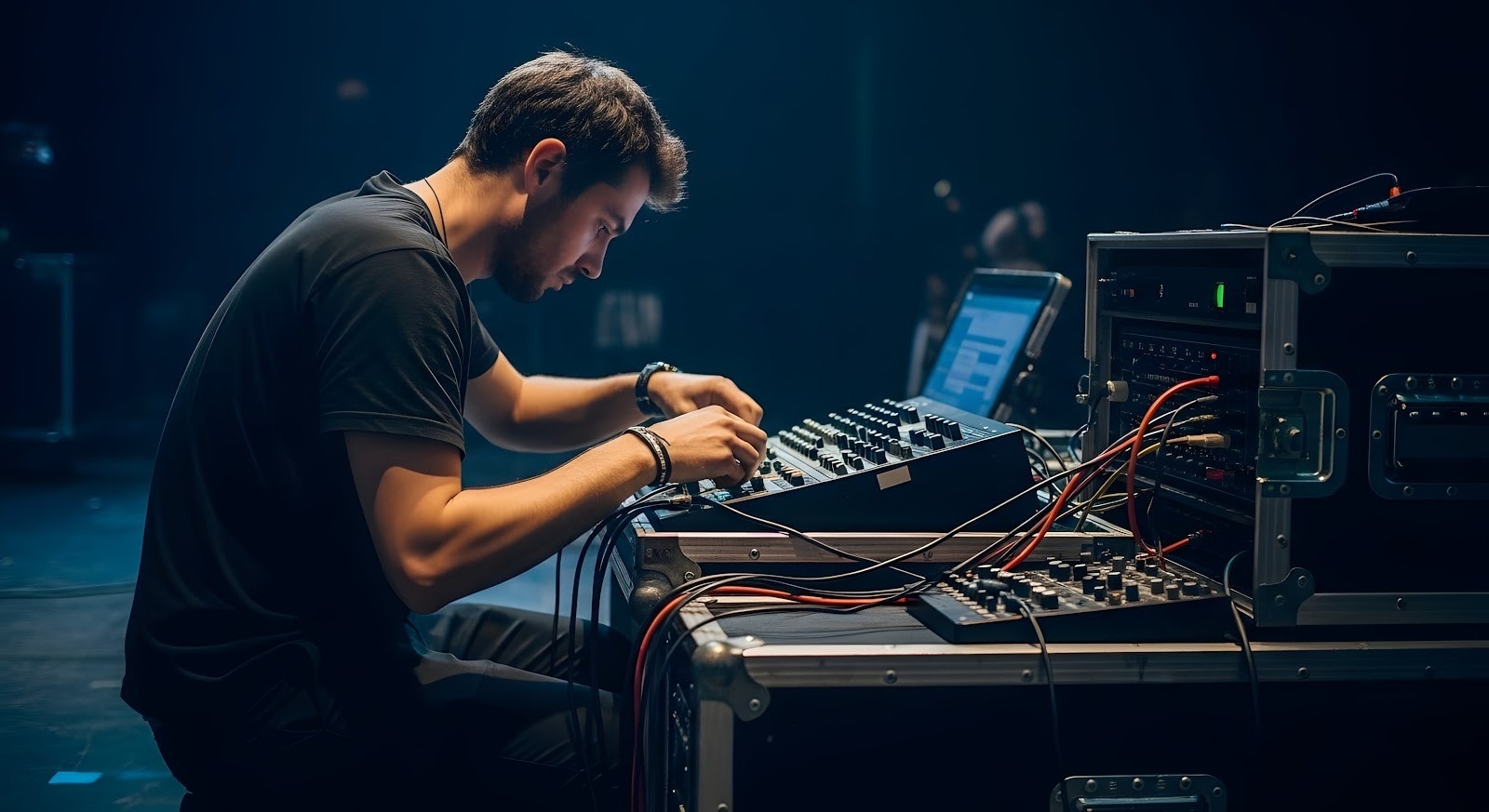
A sound system is only as good as the planning that precedes it. Whether you’re hosting a corporate training session in a downtown Boston conference room, managing a multi-session conference at a Copley Square hotel, or coordinating a product launch across multiple venues in the Northeast, the audio experience can make or break your event.
Yet many production companies and event professionals approach sound rentals reactively—waiting until the last minute to figure out what speakers, microphones, and mixers they actually need. This approach leads to undersized equipment, incompatible connections, inadequate microphone coverage, and worst-case scenarios: presenters struggling with feedback, audience members straining to hear, or technical failures mid-event.
The right questions, asked upfront, prevent these costly mistakes. They clarify what your venue demands, what your audience expects, and what equipment will reliably deliver. This guide walks you through the essential considerations that OneStop Computer & Audio Visual Rentals addresses with every client—from understanding your specific audio requirements to evaluating technical support, logistics, and budget.
By the time you finish this guide, you’ll know exactly what to request from your Boston-area sound rental company and how to avoid the oversights that turn smooth events into technical headaches.
👉Also Read: Top Essential AV Equipment Rentals for Successful Virtual Events in Boston in 2025
What Type of Event Are You Hosting?
Event formats demand different sound setups. A 75-person product launch with music and video playback requires entirely different equipment than a 75-person training session with multiple presenters and audience interaction.
Here’s how audio needs vary by event type:
| Event Type | Key Audio Requirements |
|---|---|
| Corporate meetings & boardrooms | Clear speech, discreet speakers, minimal visible cables |
| Conferences & training sessions | Multiple breakout rooms, laptop integration, wireless presenter microphones |
| Product launches & marketing events | Music playback, video sound, MC microphone, dynamic range |
| Live presentations, panels & speaking engagements | Multiple presenter mics, Q&A capability, recording-ready feeds |
To get the right equipment, share your event’s run-of-show with OneStop Computer & Audio Visual Rentals. Identify specific segments—keynotes, breakout sessions, Q&A, networking—so we can match audio to each phase rather than one-size-fits-all solutions.
How Large Is the Venue and Audience?
Room size, ceiling height, and audience count directly determine speaker quantity and power requirements. A 50-person breakout room in a Back Bay hotel demands a completely different setup than a 300-person ballroom at Boston’s Thomas Menino Convention & Exhibition Center.
Room Layout & Acoustics
Square footage, ceiling height, and room shape (narrow vs. wide) all affect how sound travels and where speakers should be positioned. Architectural features common in Boston venues—partitions, columns, alcoves, marble surfaces, glass walls—create dead zones and echo problems requiring strategic equipment placement.
Indoor vs. Outdoor Considerations
Outdoor venues add complexity: rooftop events in the Seaport need weather-resistant equipment; tented North Shore events require speakers that project without room boundaries; campus ceremonies must account for ambient noise and wind. Indoor venues offer more predictability but demand careful placement to avoid feedback and dead zones.
Right-Sizing by Audience
| Audience Size | Typical Speaker Setup |
|---|---|
| Under 50 | Single powered speaker or pair on stands |
| 50–150 | Two to four powered speakers with stands |
| 150–500 | Multiple speakers, possible delay speakers for back rows |
| 500+ | Line arrays, distributed systems, professional sound engineer |
When you describe your venue to OneStop AV, mention specific architectural challenges—echo-prone marble, glass walls, outdoor exposure, column placement—so we can recommend equipment and positioning that work with your space, not against it.
👉Also Read: Top Laptop Rentals for Event Planners in Boston: Best Models for 2025
Determining the Right Sound System Rental for Events
Once you’ve clarified your event type and venue details, you can select the speakers, microphones, and mixers that fit your needs.
OneStop AV supplies powered speakers, wireless microphones, mixers, and audio interfaces. We also provide laptops, video equipment, MacBooks, and lighting equipment for integrated AV solutions. Understanding each equipment category helps you ask informed questions and evaluate options effectively.
What Speakers Are Appropriate for Your Event?
Mismatched speakers either fail to reach the back of the room or create feedback and complaints up front. Speaker selection depends on venue size and room acoustics.
Powered vs. Passive Speakers
Powered speakers have built-in amplification—ideal for most corporate events because they’re simple to set up with fewer components. Passive speakers require separate amplifiers and are typically reserved for larger, production-heavy events where you need greater customization and power scaling.
Speaker Placement
Position speakers at ear level or slightly above for optimal coverage. Space them evenly to eliminate hot spots and dead zones. Avoid placing speakers behind décor, staging elements, or anything that blocks sound projection.
Right-Sizing by Venue
A 50–100 person hotel breakout room typically needs two powered speakers on stands. Larger ballrooms and trade show floors require more robust multi-speaker systems with possible subwoofers for fuller sound and better reach.
At OneStop Computer & Audio Visual Rentals, we provide compact powered speakers for small meeting rooms through high-output systems for ballrooms and exhibition halls.
Which Microphones Do You Need?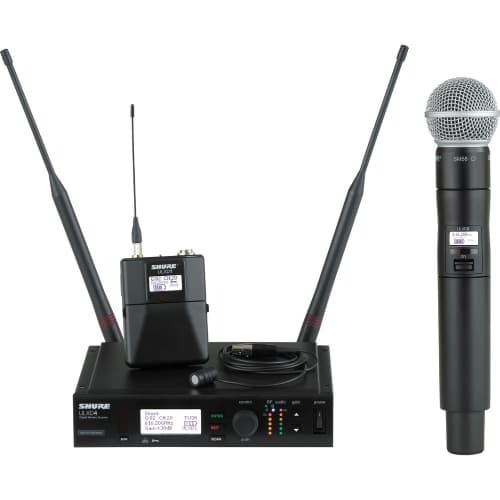
The microphone type depends on the presenter’s movement and whether hands-free operation is needed. The number of simultaneous microphones affects mixer requirements and system complexity.
| Microphone Type | Best For | Key Points |
|---|---|---|
| Handheld | Q&A, MCs, shared use | Easy to pass between speakers |
| Lavalier (clip-on) | Mobile presenters | Discreet, hands-free, requires transmitter |
| Headset | Trainers, active demos | Stable audio during movement |
| Podium | Fixed lecterns | Professional, stationary |
Wired vs. Wireless
Wireless microphones provide clean stages and full presenter mobility but require attention to battery life and range in metal-heavy venues. Wired systems are reliable and simple, but limit movement.
Determine Your Microphone Count
Ask yourself:
- How many presenters speak simultaneously?
- Do moderators and panelists need separate mics?
- Will audiences participate in Q&A with a microphone?
- Do you need dedicated recording feeds?
👉Also Read: Top Essential AV Equipment Rentals for Successful Virtual Events in Boston in 2025
Do You Need a Mixer or Audio Interface?
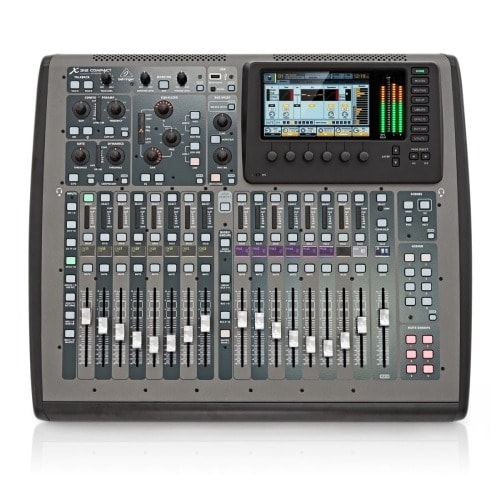
A mixer becomes necessary when you have multiple audio sources. If your event includes laptop video audio plus presenter microphones, you need a way to balance and control those inputs.
What Mixers Do
- Manage multiple audio inputs (microphones, laptops, media players)
- Balance volumes between sources
- Prevent feedback through proper gain staging
- Apply basic EQ to improve speech clarity
Device Compatibility
Your mixer must connect to laptops, MacBook Pros, and iPads used for slides or video playback. Different devices use different output types (headphone jack, USB-C, HDMI audio), so confirm compatibility before event day.
Hybrid Events (In-Person + Remote)
If your event includes Zoom, Microsoft Teams, or webinar streaming, you need a mixer or audio interface that sends a clean feed to streaming software while driving room speakers simultaneously.
Rental Logistics and Timing Considerations
Boston venues have specific delivery windows, loading dock policies, and access requirements. Confirm load-in and strike times with your venue before booking equipment.
How Long Do You Need the Sound System?
Rental duration must account for more than just your event time. You need to include equipment delivery, your team’s setup and sound check, and breakdown after the event ends.
Common Rental Durations
| Rental Type | Typical Duration | What’s Included |
|---|---|---|
| Half-day | 4–5 hours | Delivery, setup window, event time, breakdown |
| Full-day | 8–12 hours | Early morning delivery, full event, evening breakdown |
| Multi-day | 2+ days | Extended conferences, trade shows, training series |
Planning Your Sound System Rental Window
Most venues require 1–3 hours before doors open for equipment setup and sound checks. Factor this into your rental period. Similarly, allow time for breakdown and equipment removal after your event concludes.
OneStop AV Rental Options
We offer flexible half-day, full-day, multi-day, and weekly pricing for events of any length. Whether you’re running a 4-hour training session or a week-long conference across the Northeast, we can accommodate your timeline.
Budgeting and Pricing Transparency
Clear, itemized quotes prevent surprises and make comparing rental offers easier. Many providers hide delivery, labor, and overtime fees in fine print. Request detailed proposals showing all rental equipment, professional services, and add-ons for your specific event date.
What Is Included in the Rental Cost?
Confirm exactly what the quoted price covers. Vague package descriptions often hide missing components that become unexpected expenses.
Core Equipment to Verify
- Number and type of speakers (powered/passive, wattage)
- Microphones (quantity, type, wired/wireless)
- Mixers and audio interfaces
- DI boxes for connecting instruments or laptops
- All necessary audio cables and adapters
- Speaker stands and mounting hardware
- Transport cases and protection
- Power strips and extension cords
- Device adapters (laptops, tablets, phones)
Are There Additional Fees?
Confirm what’s included and what costs extra before committing:
- Delivery fees and timing
- Equipment pickup/return outside business hours
- Overtime charges for extended rental periods
- Replacement fees for damaged equipment
- Insurance or damage waiver costs
OneStop AV Pricing
We provide itemized quotes showing exactly what you’re renting and any add-on costs. We can bundle audio equipment with projectors, screens, or monitors for cost efficiency on full AV events. We work with you to structure rentals within fixed budgets.
Final Checklist Before Confirming Your Sound System Rental for Events
Before signing a rental agreement, confirm all decisions and logistics are finalized.
Pre-Booking Audit
- Event details – Provided event type, audience size, and venue layout to OneStop AV?
- Equipment specified – Speaker types, microphone counts, and mixer needs clearly listed in the quote?
- Timing confirmed – Delivery, load-in, and pickup times verified with both venue and OneStop AV?
- Pricing finalized – Does the final price include all equipment, delivery, fees, and potential overtime charges?
- Device compatibility – Confirmed laptops, tablets, video systems and phones connect properly to the audio system?
- Sound check scheduled – Time allocated for testing before doors open?
👉Also Read: Monitor and TV Rental in Boston: Expert AV Solutions by OneStop Computer & Audio Visual Rentals
Ready to Plan Your Boston Event’s Audio?
Don’t let audio issues derail your event. The right sound system—matched to your venue, your audience, and your budget—makes every word, every presentation, and every message land with impact.
OneStop AV has equipped hundreds of corporate meetings, conferences, training sessions, and product launches across the Greater Boston area and the Northeast. We provide the equipment you need, the expertise to match it to your space, and the reliability to back it up.
Here’s what happens next:
- Share your event details – venue, audience size, date, and what you’re trying to accomplish
- Get a transparent quote – itemized, with no hidden fees
- Receive tailored recommendations – equipment sized perfectly for your space
- Execute flawlessly – on event day, your audio works
Let’s get your event sounding professional. Call OneStop AV today at 1-800-782-1706 or fill out our quick quote form, and we’ll follow up within 24 hours with recommendations and pricing.
Frequently Asked Questions
How Far in Advance Should I Book?
Most corporate meetings need 1–2 weeks’ notice. Large conferences and peak seasons (May graduations, fall conferences, holiday parties) are best to plan 4–8 weeks ahead for equipment availability.
Last-minute rentals are sometimes possible but may have limited inventory. Contact OneStop AV as soon as you have a confirmed venue and agenda—even with tentative details. Early conversations help us reserve the right equipment.
What If My Venue Has an In-House Sound System?
Many hotels and conference centers include built-in audio, but it may not meet your coverage, flexibility, or reliability needs. In-house systems often lack sufficient microphone channels, have limited zones, or use outdated equipment that doesn’t connect to modern devices.
Ask your venue what’s included—number of microphones, coverage zones, connection types—then share details with OneStop AV. We can supplement the in-house system with additional microphones or speakers, or provide a fully separate system if needed.
Can the Sound System Support Hybrid or Livestreamed Events?
Yes. Many events now require audio to feed both the room and Zoom, Microsoft Teams, or webinar platforms simultaneously. This requires a mixer or audio interface that sends a clean feed to streaming software while driving room speakers.
OneStop AV designs audio configurations for both in-room and remote audiences, including audience microphones for Q&A. Contact us to discuss your hybrid event requirements.