Computers
 Wireless/Data
 TV/Monitor
 Projection
 Video
 Audio
 Cameras
 AV Presentation
 Lighting
 PRINTERS/COPIERS
 TECH ACCESSORIES
 BRANDS WE CARRY

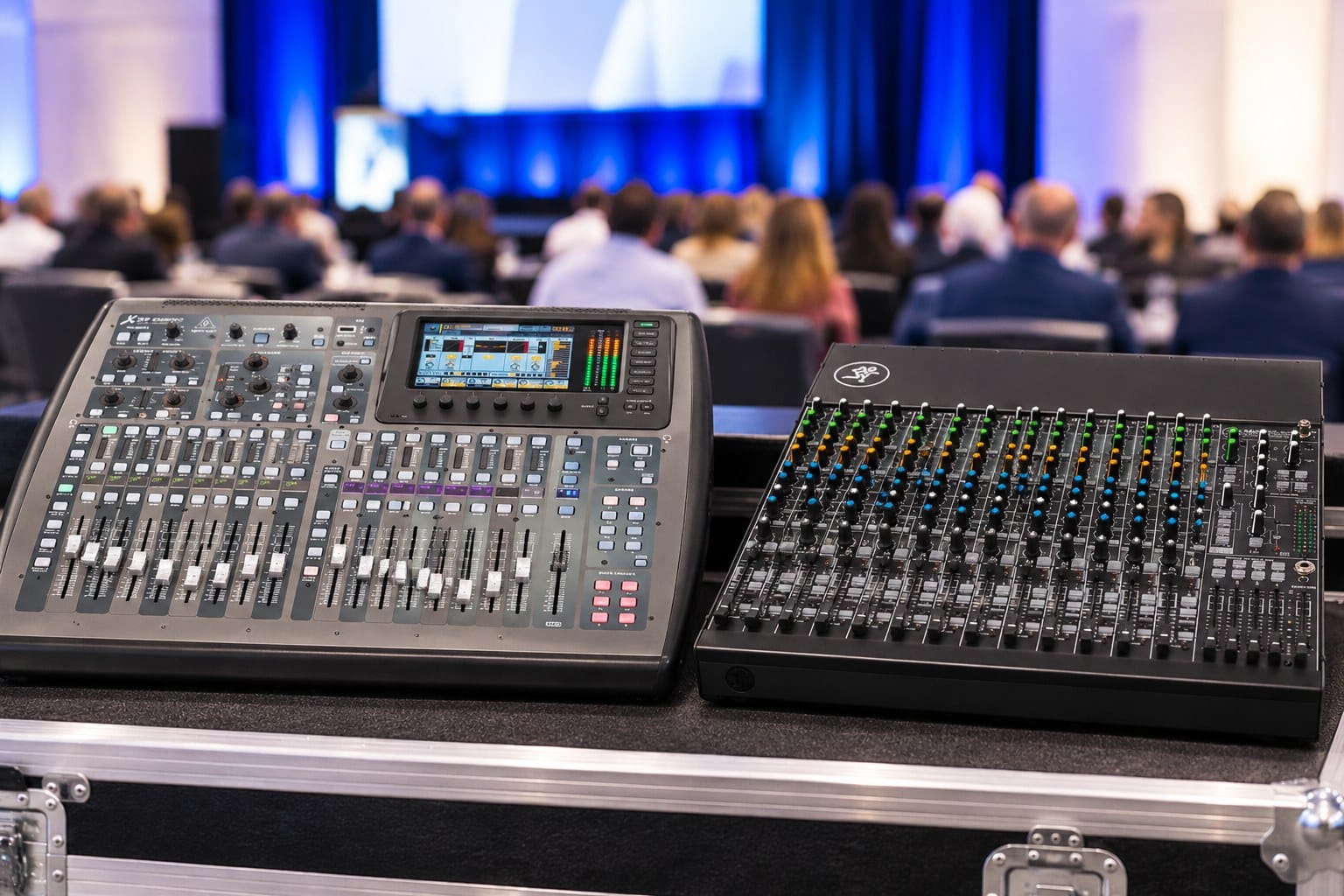
Attendees notice conference audio fast. If a keynote speaker is hard to hear, a panelist’s microphone drops out, or an audience question gets lost, the content suffers no matter how strong it is. The audio mixer is the piece of gear that combines every microphone and audio source and sends one balanced mix to the room’s speakers, so the choice matters more than most organizers expect.
Two options OneStop AV rents for conferences are the Behringer X32 digital mixer and the Mackie VLZ4 series of compact mixers. They suit different setups. The right pick depends on how many microphones and audio sources you have, what controls your operator needs, and how complex the event is, not on which brand is “better.”
Searching For Sound System Rental Near Me in Boston, AV
Choosing between the Behringer X32 and Mackie mixers is just one part of planning reliable conference audio. At OneStop AV, we provide professional audio equipment rentals to help make your Boston event run smoothly, whether you need digital mixers, microphones, speaker rentals, sound systems, lighting equipment, or other AV equipment.
Our team can help you select the right equipment based on your venue, event size, and technical requirements. Contact OneStop AV today at 1-800-782-1706 to discuss your Boston conference audio needs and find the right rental solutions for a clear, professional sound experience.
What Is the Difference Between the Behringer X32 and Mackie Mixers?
Behringer X32: Digital Mixing for Complex Conference Setups
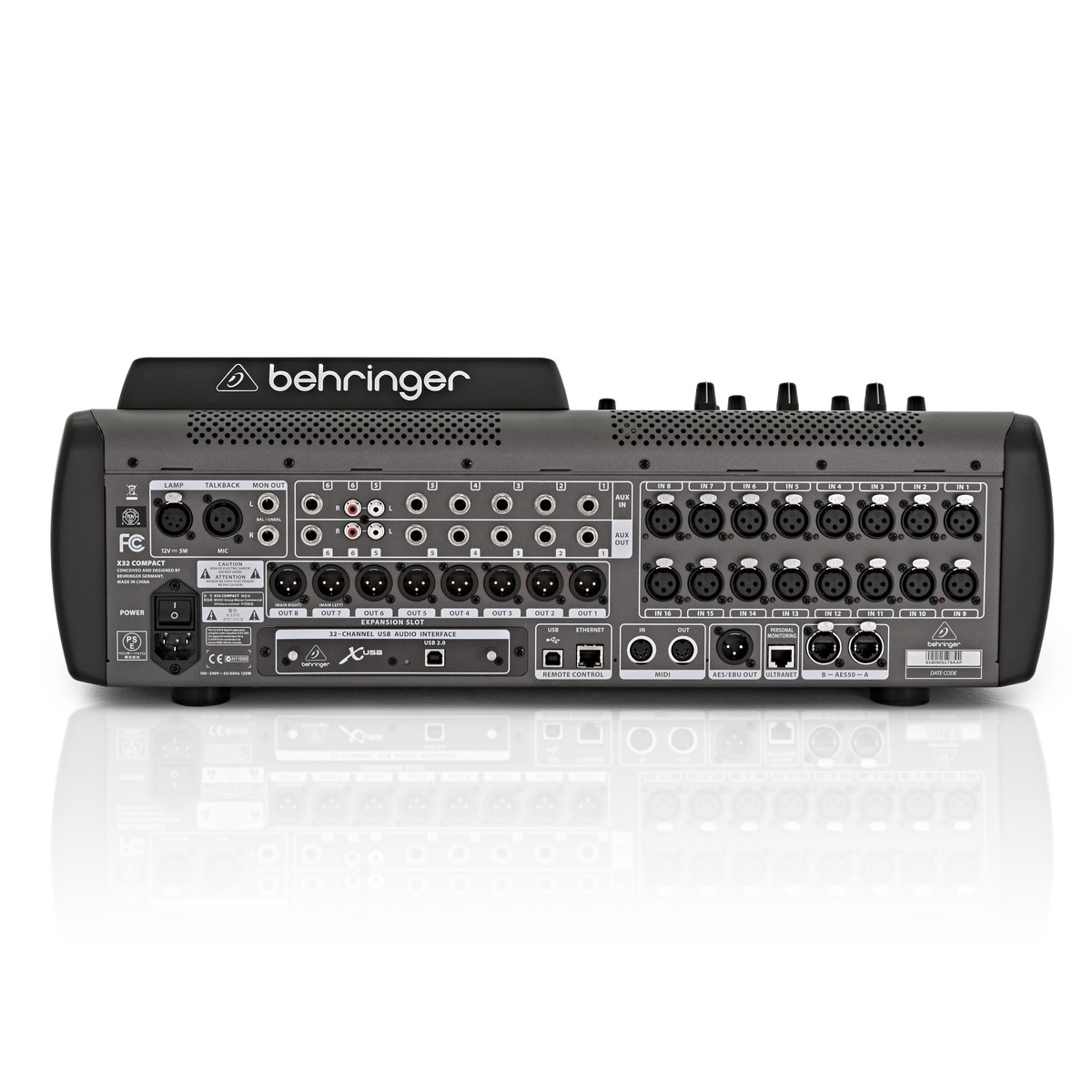
The X32 is a 32-channel digital mixer, which means its settings are stored in the console instead of being tied to physical knobs. That brings a few advantages for conferences:
- Scene recall. Save a configuration and bring it back later, such as one setup for a keynote and another for a panel, or the same settings for a recurring event.
- Customizable routing. Choose which inputs go to which outputs, which helps when you need feeds beyond the main speakers.
- Built-in processing. Each channel has equalization and dynamics tools to help keep speech clear.
That makes the X32 a good fit for conferences with multiple speakers, panel discussions, several wireless microphones, and playback sources. When microphones are far from the mixing position, OneStop AV also lists the Behringer S32 digital I/O stage box, which adds inputs and outputs away from the mixer.
Mackie Mixers: Practical Audio Control for Conference Events
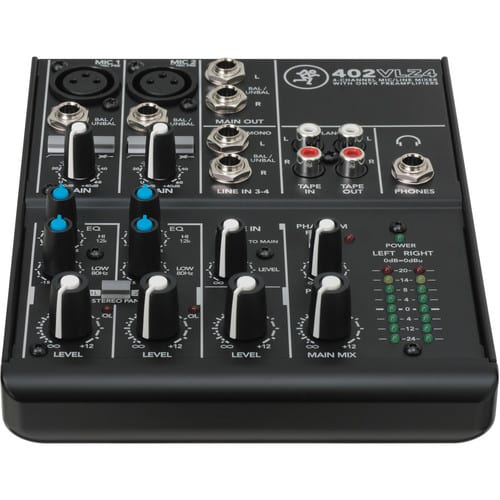
Mackie’s VLZ4 mixers are analog, so each function has its own physical control that an operator can see and adjust by hand. OneStop AV lists four models: the 402VLZ4, 1202VLZ4, 1402VLZ4, and 1604VLZ4. The numbers in the names roughly indicate the channel count, so larger models give you more inputs.
For example, the 1202VLZ4 is a compact analog mixer with 12 channels, four XLR microphone inputs with phantom power and a 3-band EQ on its mic/line channels. Models like this suit straightforward presentations, small meetings, and events where reliable, easy-to-manage audio is the priority. Features vary by model, so check the specs for the one you plan to rent. For the simplest setups, OneStop AV also rents the Shure SCM268, a four-channel microphone mixer.
👉Also Read: Wired vs. Wireless Microphones: Which Is Right for Your Boston Presentation?
Which Mixer Is Better for Your Boston Conference?
Choose the Behringer X32 for Multi-Speaker Events
- Multiple presenters and panelists, each with their own microphone
- A large amount of wireless microphones alongside laptops and playback sources
- Complex routing, such as separate feeds for recording, an overflow room, or remote attendees
- Recurring event configurations that benefit from saved mixer settings
Choose a Mackie Mixer for Simpler Audio Requirements
- Small business meetings and seminars
- Keynote presentations with fewer audio sources
- Straightforward microphone and laptop audio setups
- Events where simple, physical controls and quick setup matter most
What Features Should You Compare Before Renting a Mixer?
- Input channels. Count every microphone, laptop, and playback device, then leave a few spare. Wireless microphone receivers use inputs too.
- Audio routing. Decide whether you need separate feeds for recording, streaming, overflow rooms, or remote participants. This is where the X32’s flexible routing helps most.
- Sound processing. Look at the EQ and dynamics tools available. Clear speech depends on both the mixer and good microphone placement.
- Ease of operation. Match the mixer to your audio technician’s experience. Someone comfortable with analog consoles may prefer a Mackie, while an experienced digital operator will get more from the X32.
- Compatibility. Confirm connectors for microphones, speakers, and other gear. OneStop AV also rents wired microphones, wireless microphone systems, powered speakers, and the cabling, stands, and splitters to connect them.
- What comes with the rental? OneStop AV supplies equipment to production companies and event teams that run their own events. Confirm what’s included in your package, such as cables and delivery timing, before you book.
How Does Your Conference Size Affect Your Mixer Rental Choice?
Small Meetings and Corporate Presentations
A few speakers, a couple of microphones, and a laptop usually call for a simple setup. A compact Mackie such as the 402VLZ4 or 1202VLZ4 is the kind of mixer that fits here.
Mid-Sized Conferences and Panel Discussions
Panels and audience Q&A add microphones, and each one needs its own level control so you can balance a quiet speaker against a loud one. A larger Mackie like the 1402VLZ4 or 1604VLZ4, or the X32 for events with many wireless microphones, gives you the extra inputs and independent control.
Large Conferences and Hybrid Events
Larger events often need recording or streaming feeds, a mix for remote participants and coordination with the venue’s sound system. The X32’s routing and multiple outputs are built for that kind of work. Still, the right setup depends on the event’s technical requirements, not just audience size. A large room with one speaker may need less than a small hybrid panel.
What Should You Know About Mixer Rental Costs in Boston?
The total cost depends on the mixer model, rental duration, accessories like microphones and cables, delivery, and any audio operator you hire separately. OneStop AV rental terms run from a single day to several months.
A more capable mixer is worth it when you’ll use its channels, routing, and saved scenes. If your event is one presenter and a laptop, you may be paying for features you won’t touch. Confirm the complete package and any extra equipment or operator costs before booking, and ask about same-day shipping if your timeline is tight.
What Should You Check Before Finalizing Your Mixer Rental?
- Count all microphones and other audio sources.
- Confirm the venue’s sound system and available connections.
- Decide whether the event needs recording, livestreaming, or separate room feeds.
- Check who will operate the mixer during the conference.
- Verify delivery timing, cables, and what’s included in the rental.
👉Also Read: How Can Audiovisual Equipment Rental Make Your Boston Product Launch Unforgettable?
Rent the Right Audio Mixer for Your Boston Conference with OneStop AV
Choosing between a Behringer X32 and a Mackie mixer comes down to your conference’s audio needs, venue, and technical setup. OneStop AV rents audio equipment for business meetings, presentations, and conferences, with nationwide delivery from its base in Franklin, MA. Request a quote or call 1-800-782-1706 to talk through your event and compare mixer options.
Frequently Asked Questions
Is the Behringer X32 better than a Mackie mixer for conferences?
Not in every case. The X32 has the advantage for complex setups with many microphones, saved scenes and separate feeds. A Mackie is often the more practical choice for simpler events. The specific model and your requirements decide which is better.
Which mixer is easier to operate for a corporate presentation?
For a small presentation, an analog Mackie with one physical control per function is usually quicker to learn. The X32’s digital controls take more familiarity but give an experienced operator more control. Ease of use also depends on the model and the operator.
How many microphones can a conference mixer support?
It depends on the mixer’s available inputs and the type of connection each microphone uses. The Mackie 1202VLZ4, for example, has four XLR microphone inputs, while the X32 is a 32-channel mixer. Wireless systems and extra equipment also use inputs, so count everything before you choose.
Should I rent a digital mixer for a hybrid conference?
It can help. A digital mixer like the X32 offers flexible routing, so you can manage the in-room mix alongside separate recording, streaming, or remote-participant feeds. Smaller hybrid events with one or two microphones may not need it.
Can I rent a mixer along with microphones and speakers in Boston?
Yes. OneStop AV rents mixers, microphones, powered speakers, and the cabling to connect them, so you can request everything in one quote and keep the equipment compatible.